„Interwetten Login fehlgeschlagen“ oder „Interwetten Bonus nicht gutgeschrieben“ – diese Meldung sehen viele Spieler nach dem Absenden ihrer Daten. Meist liegt die Ursache in einer falschen Eingabe oder einer noch offenen Bedingung.

Willkommensbonus oder Freispiele nicht gutgeschrieben

Nach der Einzahlung fehlt der Bonus oder die Freispiele im Konto. Häufige Ursachen sind:

  • Der Bonuscode wurde nicht oder falsch eingegeben.
  • Die Einzahlung erfolgte ohne Aktivierung des Bonus.
  • Der Bonus wurde bereits früher in Anspruch genommen.
  • Die Einzahlungsmethode ist für den Bonus nicht zugelassen.
  • Die Bonusbedingungen sind noch nicht erfüllt.
  1. Prüfe im Konto, ob der Bonus als „aktiv“ oder „ausstehend“ markiert ist.
  2. Öffne den Bereich für Boni und vergleiche den angezeigten Status mit deiner Einzahlung.
  3. Gib den Interwetten Bonuscode erneut ein, falls das Feld leer ist – achte auf Groß- und Kleinschreibung.
  4. Stelle sicher, dass du den Bonus vor der Einzahlung aktiviert hast.
  5. Wähle für die Einzahlung eine Methode, die für den Bonus freigegeben ist.
  6. Erfülle die Bonusbedingungen vollständig, bevor du eine Auszahlung beantragst.
  7. Warte ab, ob der Bonus nach der Gutschrift der Einzahlung automatisch erscheint.
  8. Notiere Uhrzeit und Betrag der Einzahlung für eine spätere Nachfrage.

Kontaktiere den Support, wenn der Bonus nach der Prüfung aller Punkte weiterhin fehlt.

Einzahlung oder Auszahlung wegen Limits abgelehnt

Eine Einzahlung oder Auszahlung wird mit dem Hinweis auf ein Limit abgelehnt. Mögliche Ursachen:

  • Das tägliche Einzahlungslimit ist erreicht.
  • Das Auszahlungslimit für den gewählten Zeitraum ist ausgeschöpft.
  • Die gewählte Zahlungsmethode hat ein eigenes Limit.
  • Das Konto hat noch offene Bedingungen aus einem Bonus.
  • Die Auszahlung übersteigt den verfügbaren Kontostand.
  1. Prüfe im Konto, welches Limit genau genannt wird.
  2. Teile größere Beträge in kleinere Einzahlungen auf, wenn das Tageslimit erreicht ist.
  3. Wähle eine andere Zahlungsmethode, falls diese ein höheres Limit hat.
  4. Prüfe, ob ein aktiver Bonus die Auszahlung blockiert.
  5. Erfülle offene Bonusbedingungen, bevor du eine Auszahlung beantragst.
  6. Stelle sicher, dass der Auszahlungsbetrag den verfügbaren Saldo nicht übersteigt.
  7. Warte auf den nächsten Limitzeitraum, wenn das Tageslimit ausgeschöpft ist.
  8. Dokumentiere die Ablehnung mit Screenshot und Uhrzeit.

Wende dich an den Support, wenn du das Limit nicht selbst zurücksetzen kannst.

Auszahlung bleibt länger als erwartet im Status „ausstehend“

Eine Auszahlung steht seit einiger Zeit auf „ausstehend“ und ändert sich nicht. Typische Ursachen:

  • Die Identitätsprüfung ist noch nicht abgeschlossen.
  • Ein Bonus ist noch nicht vollständig umgesetzt.
  • Die Auszahlungsmethode ist nicht bestätigt.
  • Es gab eine Rückfrage zur Zahlung.
  • Die Auszahlung wurde manuell zur Prüfung zurückgehalten.
  1. Prüfe im Konto, ob eine Verifizierung angefordert wurde.
  2. Lade die angeforderten Dokumente hoch, falls die Identitätsprüfung offen ist.
  3. Kontrolliere, ob ein Bonus noch läuft und die Auszahlung deshalb wartet.
  4. Bestätige die Auszahlungsmethode, falls sie als unbestätigt markiert ist.
  5. Sieh im Nachrichtenbereich nach, ob eine Rückfrage zur Zahlung vorliegt.
  6. Beantworte Rückfragen vollständig, damit die Prüfung weiterläuft.
  7. Prüfe den Status erneut, nachdem du fehlende Angaben ergänzt hast.
  8. Wende dich an Interwetten Deutschland, wenn sich der Status nach der Prüfung nicht ändert.

Kontaktiere den Support, sobald alle Angaben vollständig sind und die Auszahlung weiterhin aussteht.

Seite oder Spiele laden auf dem Handy nicht richtig

Im mobilen Browser bleibt die Seite hängen oder ein Spiel startet nicht. Häufige Ursachen:

  • Die Internetverbindung ist instabil.
  • Der Browser-Cache ist veraltet.
  • Ein Werbeblocker stört das Laden.
  • Der Browser ist nicht aktuell.
  • Zu viele offene Tabs belasten den Speicher.
  1. Lade die Seite neu und warte, bis sie vollständig geladen ist.
  2. Wechsle von mobilen Daten zu WLAN oder umgekehrt.
  3. Leere den Cache und die Cookies im Browser.
  4. Deaktiviere Werbeblocker für die Seite.
  5. Aktualisiere den Browser auf die neueste Version.
  6. Schließe nicht benötigte Tabs.
  7. Starte das Spiel erneut, nachdem die Seite geladen ist.
  8. Teste eine andere Seite, um die Verbindung zu prüfen.

Melde dich beim Support, wenn nur bestimmte Spiele nicht laden und andere funktionieren.

Schnellübersicht: Problem, Ursache und erster Check

Die folgende Tabelle ordnet jedem Problem die übliche Ursache und den ersten Prüfschritt zu.

Problem Übliche Ursache Erster Check
Bonus fehlt Bonuscode nicht eingegeben Bonusstatus im Konto prüfen
Einzahlung abgelehnt Tageslimit erreicht Limitangabe im Konto lesen
Auszahlung ausstehend Identitätsprüfung offen Dokumente im Konto prüfen
Spiel lädt nicht Browser-Cache veraltet Cache leeren und neu laden
Login scheitert Falsche Zugangsdaten E-Mail und Passwort prüfen

Der Bonusstatus zeigt, ob ein Bonus aktiv ist oder noch auf die Einzahlung wartet. Beim Limit zählt der genaue Hinweis, den das Konto anzeigt. Die Identitätsprüfung blockiert viele Auszahlungen, bis die Dokumente freigegeben sind. Ein veralteter Cache erklärt oft Lade probleme im mobilen Browser. Beim Interwetten Login helfen korrekte Zugangsdaten und ein aktueller Browser. Wer diese Punkte der Reihe nach prüft, findet die Ursache meist ohne Support.

Ein Tipp beugt den meisten Problemen vor: Prüfe vor jeder Einzahlung den Bonusstatus und halte deine Kontodaten aktuell.


Your Casino Rama login fails with a message that your session is already active on another device, even though you are on one phone. This usually happens because a previous session did not close properly after the browser was refreshed or the connection dropped.

Deposits and withdrawals declined because of limits

You see a message that your transaction was declined due to a limit, and the amount stays in your bank account. Limits can come from your account level, your chosen deposit method or the way you set up your withdrawal request.

  • Your account has a daily or weekly transaction cap that you have already reached.
  • You chose a payment method that does not support the amount you entered.
  • Your withdrawal request exceeds the maximum allowed per transaction for your account tier.
  • You have not completed identity verification, which blocks larger withdrawals.
  • You recently changed your payment details and a temporary hold applies.
  1. Open your account section and review any limit messages shown next to your balance. At casinorama-ca.com, the cashier area lists the active limits for your account.
  2. Compare the amount you tried to send with your remaining limit for the day or week.
  3. If you have reached a cap, wait for it to reset or choose a smaller amount that fits within the limit.
  4. Switch to a different payment method that supports the amount you want to move.
  5. For withdrawals, split the request into smaller amounts if the total is above the per-transaction cap.
  6. Complete any outstanding identity verification steps, because unverified accounts face lower withdrawal ceilings.
  7. Remove and re-add your payment details if you recently changed them, then try again after the temporary hold ends.
  8. Retry the transaction once and note the exact error message shown on screen.

Contact support when the decline message mentions a limit you cannot see in your account, or when your limit should have reset but the transaction still fails.

Cannot log in or account locked after failed attempts

You see a message that your Casino Rama login is temporarily locked after several wrong password entries. The lock is a security response, and the cause is either a forgotten password or a session that did not close.

  • You entered the wrong password more than the allowed number of times.
  • Your browser saved an old password and fills it in automatically.
  • A previous session is still open on another device or tab.
  • Your account is locked because of unusual login activity from a new location.
  • You are using a different email address than the one registered.
  1. Wait for the lock period to pass before trying again, because each new attempt extends it.
  2. Close all browser tabs that show the Casino Rama site or any page from the Rama Casino domain.
  3. Clear your browser’s saved passwords for the site so it stops filling the old one.
  4. Use the password reset option and follow the steps sent to your registered email.
  5. Choose a new password you have not used before and type it manually instead of pasting.
  6. Log in from the same phone browser you normally use, not a new device.
  7. If a session is active elsewhere, use the option to end other sessions before signing in.
  8. Disable any VPN or proxy that changes your apparent location during login.
  9. Try once more with the new password and note the exact error if it fails.

Contact support when the lock does not clear after the stated period or when you no longer have access to the email address on the account.

Deposit left the bank but is not on the casino balance

You see the amount deducted from your bank account, but your Casino Rama balance has not changed. The most common cause is a pending transaction that the payment provider has not yet confirmed to the casino.

  • The payment provider is still processing the transfer and has not sent confirmation.
  • You used a payment method that requires manual review before funds are credited.
  • The deposit was sent to an old payment detail saved in your account.
  • Your bank placed the transaction on hold for a security check.
  • The deposit was made while your account was under a temporary restriction.
  1. Refresh your balance after a short wait, because some methods credit only after confirmation.
  2. Open your transaction history in the account and look for the deposit status.
  3. Check your bank statement to confirm the amount has actually left your account and is not just pending.
  4. If the bank shows the payment as pending, wait for it to settle before taking further action.
  5. Confirm that the payment details you used match the ones saved in your account.
  6. Remove any old payment method that no longer belongs to you.
  7. Take a screenshot of the bank transaction and the casino transaction history side by side.
  8. Do not send a second deposit for the same amount, because it can create a duplicate.
  9. Note the reference number from your bank transfer for support.

Contact support when the bank shows the payment as completed but your casino balance still does not include it after you have refreshed and checked the history.

Identity verification stuck or documents rejected

You see a message that your documents were rejected or that verification is still pending, and withdrawals remain blocked. The usual cause is a photo that is blurry, cropped or does not match the details on your account.

  • The photo is blurry, glare-covered or cropped at the edges.
  • The document has expired or the details do not match your registered name.
  • You sent a screenshot instead of a photo of the original document.
  • Part of the document is covered by your fingers or a reflection.
  • The file format or size is not accepted by the upload form.
  1. Place the document on a flat, dark surface in good light before taking a new photo.
  2. Capture all four corners and the full text without cropping.
  3. Avoid flash glare by using indirect light from a window or a lamp to the side.
  4. Make sure your name, date of birth and document number are clearly readable.
  5. Use the original physical document, not a photocopy or a screen image.
  6. Check that the name on the document matches the name in your Casino Rama profile exactly.
  7. Upload one document at a time and wait for the status to change before adding another.
  8. If the form rejects the file, convert the photo to a common image format and try again.
  9. Keep a copy of what you submitted so you can compare if it is rejected again.

Contact support when your documents are rejected more than once without a clear reason or when verification remains pending after you have uploaded clear photos.

Quick Reference

The table below lists the most common problems, their usual cause and the first check to perform.

Problem Usual cause First check
Deposit declined Daily limit reached Limit message in the cashier area
Withdrawal declined Amount above per-transaction cap Withdrawal limit for your account tier
Login locked Too many wrong passwords Time since last failed attempt
Deposit missing Payment provider still processing Transaction history status
KYC rejected Blurry or cropped photo Clarity of the uploaded document

For declined transactions, the limit shown in your account is the starting point. For login locks, the lock is time-based, so waiting is part of the fix. For missing deposits, the transaction history tells you whether the payment is pending or complete. For rejected documents, the quality of the photo is the most frequent issue. Each of these checks takes only a moment and saves a support message. If a check does not resolve the issue, the error message you noted helps support act faster.

Keep one payment method and one set of clear documents on file, and close the browser tab after each session; that single habit prevents most login, limit and verification problems players face.


Je zit in de trein en opent snel de site van Comeon om je tegoed te controleren, maar het scherm blijft hangen bij een melding over je identiteit. Die melding komt meestal doordat een document onduidelijk is gefotografeerd of de gegevens niet overeenkomen met je account. Een andere veelvoorkomende oorzaak is dat je een tweede account hebt aangemaakt, waardoor het systeem je aanvraag blokkeert.

Vastgelopen identiteitscontrole en afgekeurde documenten

Na het uploaden van je paspoort of rijbewijs zie je een rode melding dat je document niet is goedgekeurd of dat de controle nog loopt. Dat gebeurt vaak door een foto waarvan de hoeken zijn afgesneden, een verkeerd bestandstype of een adres dat niet matcht met je inschrijving.

  • De foto is wazig of het document ligt niet recht voor de camera.
  • Je hebt een kopie van een kopie geüpload in plaats van het originele document.
  • De naam op je account wijkt af van de naam op je paspoort.
  • Je adres is recent gewijzigd en nog niet bijgewerkt in je profiel.
  • Je hebt een documenttype gekozen dat niet wordt geaccepteerd voor jouw situatie.
  1. Maak nieuwe foto’s bij daglicht en leg het document plat op een donkere ondergrond.
  2. Zorg dat alle vier de hoeken en de volledige tekst zichtbaar zijn, zonder schaduw of reflectie.
  3. Controleer of je naam en geboortedatum in je Comeon-profiel exact overeenkomen met het document.
  4. Werk je adresgegevens bij in je account voordat je een nieuw document uploadt.
  5. Kies het juiste documenttype en upload alleen het gevraagde bestand, geen combinatie van foto’s.
  6. Wacht tot de controle is afgerond voordat je een nieuwe aanvraag start, want dubbele uploads vertragen het proces.
  7. Stuur één duidelijke aanvraag en controleer je e-mail voor een bericht over de uitslag.

Neem contact op met de supportafdeling als je na twee afgekeurde documenten geen nieuwe uploadoptie meer ziet of als je een melding krijgt dat je account niet geverifieerd kan worden.

Opname blijft hangen zonder duidelijke reden

Je ziet je opname als “in behandeling” staan, maar het bedrag is nog niet van je saldo afgeschreven naar je rekening. Meestal komt dat doordat de verificatie nog niet is afgerond of doordat je een opname deed terwijl er nog een bonusactief was.

  • Je identiteitscontrole is nog niet voltooid, waardoor de opname automatisch wordt tegengehouden.
  • Je hebt een Comeon casino bonus gebruikt en de inzetvoorwaarde is nog niet gehaald.
  • Je opnamebedrag is hoger dan je opneembare saldo omdat een deel nog aan een bonus vastzit.
  • Je hebt meerdere opnameverzoeken kort na elkaar gedaan, waardoor het systeem ze samenvoegt.
  • De betaalmethode waarmee je stortte, ondersteunt geen uitbetaling naar dezelfde rekening.
  1. Open je transactieoverzicht en controleer of de opname de status “in behandeling” of “geannuleerd” heeft.
  2. Rond eerst je identiteitscontrole af, want zonder voltooide KYC blijft elke opname wachten.
  3. Bekijk je actieve bonus en controleer of je de inzetvoorwaarde al hebt gehaald.
  4. Annuleer een eventuele dubbel opnameverzoek en dien er één nieuw verzoek in.
  5. Kies een opnamemethode die past bij de storting die je hebt gedaan.
  6. Zorg dat je saldo vrij opneembaar is en niet vastzit aan een lopende bonus.
  7. Controleer of je geen openstaande documentaanvraag hebt die de opname blokkeert.
  8. Noteer het referentienummer van je opname voordat je verdergaat, zodat je het later kunt doorgeven.

Neem contact op met de supportafdeling als de opname na het afronden van je verificatie en het vrijmaken van je saldo nog steeds niet in behandeling is genomen.

Inloggen lukt niet of account is geblokkeerd

Je typt je wachtwoord in en krijgt de melding dat je account tijdelijk is vergrendeld na meerdere pogingen. Dat komt vaak door een verouderd wachtwoord, een typefout in je gebruikersnaam of een beveiligingsblokkade na herhaalde mislukte pogingen.

  • Je gebruikt een oud wachtwoord dat je eerder hebt gewijzigd.
  • Je gebruikersnaam bevat een spatie of hoofdletter die niet klopt.
  • Je hebt meerdere keren een fout wachtwoord ingevoerd, waardoor een tijdelijke blokkade is ingesteld.
  • Je bent ingelogd op een ander apparaat of een andere browser.
  • Je hebt je account gekoppeld aan een e-mailadres dat je niet meer gebruikt.
  1. Wacht even en probeer daarna opnieuw met je exacte gebruikersnaam, zonder spaties.
  2. Gebruik de functie voor het herstellen van je wachtwoord en volg de stappen in de e-mail.
  3. Controleer je spamfilter als de herstelmail niet aankomt.
  4. Log uit op andere apparaten en browsers voordat je het opnieuw probeert.
  5. Schakel je VPN uit, want een wisselend IP-adres kan een beveiligingsblokkade veroorzaken.
  6. Probeer een andere browser of een privévenster om cookies uit te sluiten.
  7. Controleer of je e-mailadres in je profiel nog klopt en werk het bij als dat nodig is.
  8. Vraag geen nieuw account aan, want dat kan je bestaande account verder blokkeren.

Neem contact op met de supportafdeling als je na het herstellen van je wachtwoord nog steeds de melding krijgt dat je account is vergrendeld.

Site en spellen laden niet goed op je telefoon

Je opent Comeon in de browser van je telefoon en het scherm blijft wit of een spel laadt maar half. Vaak ligt dat aan een zwakke verbinding, een verouderde browser of een cache die nog oude bestanden vasthoudt.

  • Je mobiele netwerk is traag of wisselt tussen wifi en data.
  • Je browsercache bevat oude bestanden van de site.
  • Je browserversie is verouderd en ondersteunt bepaalde spellen niet.
  • Een advertentieblokkering of extensie houdt scripts tegen.
  • Je hebt meerdere tabbladen van het spel openstaan, waardoor het geheugen vol raakt.
  1. Herlaad de pagina en wacht tot het spel volledig is geladen voordat je op een knop drukt.
  2. Schakel over van wifi naar mobiele data of andersom om de verbinding te testen.
  3. Leeg de cache van je browser via de instellingen van je telefoon.
  4. Werk je browser bij naar de nieuwste versie.
  5. Schakel adblockers en extensies tijdelijk uit en probeer https://comeons.eu.com opnieuw te openen.
  6. Sluit andere tabbladen en apps die veel geheugen gebruiken.
  7. Probeer een andere browser op je telefoon als het probleem blijft.

Neem contact op met de supportafdeling als een specifiek spel op meerdere browsers en netwerken niet laadt, want dan ligt het probleem waarschijnlijk bij de spelprovider.

Quick Reference

Deze tabel zet de meest voorkomende problemen naast de gebruikelijke oorzaak en de eerste controle die je kunt doen.

Probleem Gebruikelijke oorzaak Eerste controle
Verificatie vast Onduidelijk of afgekeurd document Foto opnieuw maken met alle hoeken zichtbaar
Opname hangt KYC niet afgerond of bonus actief Status in transactieoverzicht bekijken
Inloggen geblokkeerd Te veel foute wachtwoorden Wachtwoord herstellen via e-mail
Spel laadt niet op telefoon Cache of verouderde browser Cache legen en browser bijwerken
Comeon welkomstbonus niet zichtbaar Bonuscode niet ingevoerd of voorwaarde niet gehaald Bonusovertzicht in je account openen

Bij een vastgelopen verificatie is het belangrijkste dat je document scherp en compleet is, want een afgekeurde foto houdt ook je opname tegen. Een hangende opname lost zich vaak op zodra je KYC is afgerond en je saldo vrij is van bonusvoorwaarden. Een geblokkeerd account na foute inlogpogingen is meestal tijdelijk, maar een nieuw account aanmaken maakt het probleem groter. Voor mobiel spel geldt dat cache en browsversie de eerste verdachten zijn, nog voordat je aan een spelprovider denkt. De comeon welkomstbonus verschijnt alleen in je account als je aan de voorwaarden voldoet en de juiste stappen hebt doorlopen. Een comeon bonus code voer je in tijdens het activeren van de bonus, want achteraf toevoegen werkt niet.

Rond je identiteitscontrole af voordat je een opname aanvraagt en houd je profielgegevens gelijk aan je document; daarmee voorkom je de meeste vertragingen.


Zacznę od tego, że od razu po wejściu na stronę SpinBetter rzuciło mi się w oczy kilka elementów, które warto znać przed rejestracją. Jeśli klikniesz w przycisk rejestracji bez przygotowania, możesz poczuć się zagubiony w gąszczu opcji i komunikatów. W pierwszej sesji spędziłem trochę czasu na poznawaniu układu strony i muszę przyznać, że całość robi dobre pierwsze wrażenie, choć nie wszystko jest od razu jasne.

Pierwsze kroki i rejestracja

Rejestracja w SpinBetter jest prosta i nie wymaga wielu danych. Wystarczy podać podstawowe informacje i potwierdzić konto. Od razu po zalogowaniu trafisz do panelu gracza, gdzie znajdziesz swoje saldo i historię. Formularz jest krótki, więc nie zajmie dużo czasu.

Po rejestracji warto od razu ustawić sobie spinbetter login, czyli nazwę użytkownika i hasło, które łatwo zapamiętasz. To ważne, bo późniejsze logowanie będzie szybsze. Możesz też od razu przejść do sekcji z bonusami, aby zapoznać się z ofertą. Pamiętaj, że spinbetterpl.com.pl pozwala na odzyskanie hasła, jeśli je zapomnisz.

Pierwsza sesja to głównie zapoznanie się z interfejsem. Menu jest przejrzyste, a kategorie gier widoczne od razu. Warto poświęcić chwilę na sprawdzenie, gdzie znajdują się promocje. Nie spiesz się z pierwszym depozytem, bo najpierw warto zrozumieć zasady.

Logowanie odbywa się przez podanie loginu i hasła. Jeśli korzystasz z telefonu, możesz zapisać dane w przeglądarce, ale nie rób tego na wspólnym urządzeniu. Po zalogowaniu sprawdź, czy wszystkie dane są poprawne. W razie problemów pomocna jest sekcja pomocy.

Gra na telefonie

Gra na telefonie przez przeglądarkę mobilną jest wygodna. Strona dostosowuje się do rozmiaru ekranu, a ładowanie jest szybkie. Nie potrzebujesz żadnej aplikacji, żeby zagrać. Wystarczy przeglądarka i połączenie z internetem.

Na telefonie warto sprawdzić, czy wszystkie funkcje są dostępne. Niektóre opcje mogą być ukryte w rozwijanym menu. Upewnij się, że przyciski są wystarczająco duże, aby je wygodnie klikać. To wpływa na komfort gry.

Podczas gry mobilnej zwróć uwagę na zużycie baterii i transferu danych. Gry kasynowe mogą obciążać telefon, zwłaszcza przy dłuższych sesjach. Warto mieć przy sobie ładowarkę lub powerbank. To pozwoli uniknąć przerw w rozgrywce.

Przeglądarka mobilna może wymagać włączenia obsługi JavaScript i plików cookie. Bez tego strona może nie działać poprawnie. Sprawdź ustawienia prywatności, jeśli gra nie ładuje się prawidłowo. Czasem wystarczy wyczyścić pamięć podręczną.

Logowanie na telefonie działa tak samo jak na komputerze. Wpisz swój spinbetter login i hasło, a następnie zatwierdź. Możesz też skorzystać z funkcji autouzupełniania, ale zachowaj ostrożność. Po zalogowaniu sprawdź, czy saldo jest aktualne.

Jak wypadł bonus

Oferta bonusowa w SpinBetter obejmuje między innymi spinbetter bonus powitalny. Aby go otrzymać, trzeba dokonać pierwszego depozytu. Bonus jest przyznawany automatycznie, ale warto sprawdzić warunki. Niektóre promocje wymagają wpisania kodu.

Otrzymałem bonus i od razu zauważyłem, że ma określone warunki obrotu. Trzeba je spełnić, zanim będzie można wypłacić wygraną. Ważne jest, aby nie odkładać tego na później. Sprawdź, jakie gry liczą się do obrotu.

Dostępne są również spinbetter free spins, czyli darmowe obroty. Można je wykorzystać na wybranych automatach. Free spiny są przyznawane jako część pakietu powitalnego. Pamiętaj, że wygrane z free spins również podlegają obrotowi.

Bonusy w SpinBetter są zróżnicowane i mogą się zmieniać. Warto śledzić zakładkę z promocjami, aby nie przegapić nowych ofert. Przy każdym bonusie sprawdź, czy nie ma limitu czasowego. Jeśli nie zdążysz wykorzystać bonusu, przepadnie.

Kontakt z obsługą przez czat na żywo

Kontakt z obsługą przez czat na żywo jest dostępny po zalogowaniu. Ikona czatu znajduje się w rogu ekranu. Można tam zadać pytanie dotyczące konta lub bonusów. Odpowiedzi są udzielane na bieżąco.

Podczas mojej pierwszej rozmowy konsultant był uprzejmy i rzeczowy. Odpowiedział na pytanie o warunki bonusu. Nie musiałem długo czekać na połączenie. Rozmowa przebiegała sprawnie.

Czat na żywo przydaje się, gdy masz problem z logowaniem. Możesz też zgłosić problem techniczny. Warto wcześniej przygotować pytanie, aby szybko uzyskać pomoc. Nie podawaj swoich haseł w czacie.

Jeśli czat jest niedostępny, pozostają inne formy kontaktu. Sprawdź sekcję pomocy, gdzie znajdują się odpowiedzi na częste pytania. Można też wysłać wiadomość e-mail. Odpowiedź może zająć więcej czasu.

Obsługa klienta w SpinBetter działa w języku polskim. To duży plus dla graczy z Polski. Rozmowa przez czat jest wygodna, bo nie trzeba dzwonić. Wystarczy wpisać pytanie i czekać na odpowiedź.

Mocne strony

SpinBetter ma kilka atutów, które doceniłem podczas testowania. Oto one:

  • Przejrzysty interfejs ułatwia nawigację nawet nowym graczom.
  • Rejestracja jest szybka i nie wymaga wielu danych.
  • Dostępność gier mobilnych przez przeglądarkę bez instalacji.
  • Bonus powitalny i free spiny są atrakcyjne dla nowych graczy.
  • Obsługa klienta przez czat na żywo reaguje sprawnie.
  • Warunki bonusów są opisane w przystępny sposób.
  • Możliwość gry w języku polskim.

Co można poprawić

Nie wszystko było idealne. Oto kilka aspektów, które mogłyby być lepsze:

  • Nie wszystkie promocje są jasno opisane na stronie głównej.
  • Wymagania obrotu bonusem mogą być trudne do spełnienia dla początkujących.
  • Brak dedykowanej aplikacji mobilnej może być minusem dla niektórych graczy.
  • Niektóre gry mogą ładować się wolniej na starszych telefonach.
  • Oferta free spins jest ograniczona do wybranych automatów.
  • Kontakt z obsługą tylko przez czat i e-mail, bez telefonu.
  • Możliwość wystąpienia problemów technicznych podczas szczytowego obciążenia.

Mimo tych wad SpinBetter wypada pozytywnie na tle innych kasyn. Warto zwrócić uwagę na warunki bonusów i je dokładnie przeanalizować. Jeśli szukasz prostego kasyna mobilnego, to miejsce może być dla Ciebie.

Dla kogo jest to kasyno

SpinBetter sprawdzi się dla graczy, którzy cenią prostą rejestrację i szybki dostęp do gier. Osoby grające na telefonie docenią wersję mobilną przez przeglądarkę. Ci, którzy lubią bonusy, znajdą tu ciekawe promocje. Nowi gracze mogą rozpocząć bez skomplikowanych kroków.

Osoby oczekujące dedykowanej aplikacji mogą być rozczarowane. Gracze przywiązujący wagę do szczegółowych opisów promocji mogą chcieć poszukać elsewhere. Ci, którzy preferują kontakt telefoniczny z obsługą, nie znajdą go tutaj. Osoby niechętne do spełniania warunków obrotu powinny rozważyć inne opcje.

Kasyno jest also odpowiednie dla graczy, którzy chcą grać w języku polskim. Dostępność polskiej obsługi klienta to plus. Osoby szukające szerokiej gamy free spins mogą być usatysfakcjonowane. Gracze mobilni mogą grać bez pobierania dodatkowego oprogramowania.

Z drugiej strony, osoby wymagające natychmiastowej wypłaty mogą napotkać na ograniczenia. Gracze przyzwyczajeni do przejrzystych zasad bonusowych mogą poczuć się zagubieni. Ci, którzy nie chcą weryfikować konta, mogą napotkać na przeszkody. Każdy powinien sam ocenić, czy SpinBetter odpowiada jego potrzebom.

Podsumowując, SpinBetter to kasyno o prostym interfejsie i kilku ciekawych funkcjach. Warto zwrócić uwagę na warunki bonusów i dostępność gier mobilnych. Jeśli szukasz miejsca do gry bez zbędnych komplikacji, to może być dobry wybór. Pamiętaj jednak o odpowiedzialnej grze.


Hoe log ik in op 1win casino via mijn telefoon? Veel spelers openen de site en typen meteen hun gegevens in, zonder eerst te controleren of ze de beveiligde verbinding gebruiken. Dat is precies de stap die vaak wordt overgeslagen.

Licentie en veiligheid van het casino

Voor je speelt, is het verstandig te weten hoe 1win casino met veiligheid en identiteitscontrole omgaat. Deze punten geven je houvast:

  • De site werkt onder een vergunning van een erkende autoriteit. Daardoor moet het casino zich aan regels houden voor eerlijk spel en uitbetalingen.
  • Een SSL-verbinding beveiligt je gegevens tijdens het inloggen. Je ziet een slotje in de adresbalk van je telefoon.
  • KYC betekent dat je je identiteit laat controleren voordat je opneemt. Dit voorkomt dat iemand anders jouw account gebruikt.
  • Bij KYC upload je een foto van je paspoort of ID en soms een bewijs van je adres. Zorg dat de gegevens overeenkomen met je account.
  • De SSL-verbinding geldt ook voor stortingen en opnames. Verbreek de verbinding niet halverwege een betaling.
  • KYC is eenmalig en daarna zijn je toekomstige opnames eenvoudiger. Bewaar de bevestiging goed.
  • De vergunning betekent ook dat je een klacht kunt indienen bij de toezichthouder als het casino zich niet aan de regels houdt.

Zonder SSL en KYC zou je account kwetsbaar zijn voor misbruik. Door deze stappen serieus te nemen, bescherm je je eigen saldo en gegevens.

Checklist voor je een account opent

Met deze voorbereiding voorkom je vertraging bij je eerste storting of opname. Loop de punten rustig door:

  • Zorg voor een geldig identiteitsbewijs met een duidelijke foto. Je gebruikt dit later voor de KYC-controle.
  • Noteer je eigen e-mailadres dat je dagelijks gebruikt. Op dit adres ontvang je berichten over je account.
  • Kies een sterk wachtwoord dat je nergens anders gebruikt. Combineer letters, cijfers en een teken.
  • Controleer of je telefoonbrowser is bijgewerkt. Een oude browser kan de beveiligde verbinding blokkeren.
  • Zet een betaalmethode klaar die op je naam staat. Stortingen van een andere naam leiden vaak tot vragen.
  • Bepaal vooraf hoeveel je wilt besteden. Zo houd je het overzichtelijk en speel je met een bedrag dat past.
  • Zorg voor een rustige plek met een stabiele internetverbinding. Een wegvallende verbinding onderbreekt het inloggen.

Als deze punten klaar zijn, verloopt de registratie soepel. Je hoeft dan niet halverwege terug te zoeken naar gegevens.

Account aanmaken en verifiëren

De registratie bestaat uit een aantal vaste stappen. Volg ze in deze volgorde:

  1. Open de website in je telefoonbrowser en kies de knop om een account te maken. Vul je e-mailadres en een wachtwoord in.
  2. Vul je persoonlijke gegevens in, zoals je naam en geboortedatum. Gebruik precies de gegevens die op je identiteitsbewijs staan.
  3. Bevestig je e-mailadres via de link die je ontvangt. Zonder bevestiging kun je niet verder met storten.
  4. Log in met je nieuwe gegevens en ga naar het gedeelte voor verificatie. Daar start je de KYC-controle.
  5. Upload een foto van je identiteitsbewijs en een bewijs van je adres. Zorg dat de randen zichtbaar zijn en er geen reflectie op staat.
  6. Wacht op de beoordeling van je documenten. Je ziet de status in je account en ontvangt bericht zodra het rond is.
  7. Na goedkeuring zijn je account en je betaalmethode gekoppeld. Je kunt dan storten en opnemen zonder extra stappen.

Als de KYC-controle klaar is, zijn je gegevens beschermd en kun je zonder onderbreking spelen. Bewaar je inloggegevens op een veilige plek.

Spelaanbod en providers

Het aanbod is ingedeeld in categorieën die je op je telefoon kunt openen. Deze tabel laat zien wat je per categorie kunt verwachten:

Categorie Wat je aantreft Waar je op let
Gokkasten Duizenden titels van bekende providers RTP en inzetbereik per spel
Tafelspellen Varianten van blackjack, roulette en baccarat Regels en tafellimieten
Live casino Spellen met een live dealer via videostream Stabiele verbinding op je telefoon
Crash- en instantspellen Snelle spellen met korte rondes Hoe snel een ronde afloopt

Gokkasten nemen het grootste deel van het aanbod in beslag. De providers zijn herkenbaar aan hun naam boven elk spel. Tafelspellen hebben vaak een demo-stand waarin je zonder inzet oefent. Live casino vraagt meer data en een goede verbinding. Crash-spellen trekken spelers die van korte rondes houden. Bij https://1win.com.nl/ wissel je eenvoudig tussen deze categorieën. Het aanbod verschilt per provider, dus je ziet snel genoeg wat bij je past.

Storten en opnemen

Betalingen verlopen via je account en zijn gekoppeld aan je geverifieerde gegevens. Let op deze punten:

  • Een storting wordt meestal direct bijgeschreven. Controleer je saldo voordat je gaat spelen.
  • Bij een opname moet je betaalmethode op je eigen naam staan. Anders kan het casino de uitbetaling tegenhouden.
  • KYC moet zijn afgerond voordat je kunt opnemen. Zonder goedkeuring blijft je verzoek in afwachting.
  • De gekozen methode bepaalt hoe snel het geld aankomt. Sommige methoden zijn sneller dan andere.
  • Controleer het bedrag en de methode voordat je bevestigt. Een verkeerd ingevuld bedrag is lastig terug te draaien.
  • Bij een opname wordt je saldo direct gereserveerd. Je kunt het bedrag niet meer inzetten terwijl het in behandeling is.
  • Bewaar de bevestiging van elke transactie. Bij vragen kun je die laten zien aan de support.

Door vooraf je gegevens en betaalmethode te controleren, verloopt een opname zonder verrassingen. Een storting is meestal direct zichtbaar, een opname volgt de regels van je methode.

Opname duurt langer dan verwacht

Een vertraagde opname is vervelend, maar meestal is er een eenvoudige oorzaak. Volg deze stappen:

  1. Controleer of je KYC-status op goedgekeurd staat. Een openstaande controle houdt de opname tegen.
  2. Kijk of je een bericht van het casino hebt ontvangen. Soms is er een vraag over je document of methode.
  3. Controleer of je betaalmethode op je eigen naam staat. Een afwijkende naam blokkeert de uitbetaling.
  4. Wacht de aangegeven termijn van je methode af. Elke methode heeft een eigen verwerkingstijd.
  5. Neem contact op met de support via de chat of het contactformulier. Vermeld je accountgegevens en het bedrag.
  6. Bewaar het bevestigingsnummer van je opnameverzoek. Daarmee kan de support je zaak sneller vinden.
  7. Als de support niet reageert, vraag dan om een schriftelijke status. Zo houd je bewijs van je verzoek.

De meeste vertragingen komen door een ontbrekend document of een verkeerde methode. Met de juiste gegevens lost de support het vaak snel op.

Inloggen op je telefoon

Op je telefoon log je in via de browser en niet via een aparte app. Bewaar de website als bladwijzer, dan hoef je het adres niet elke keer te typen. Zorg dat je de beveiligde verbinding gebruikt voordat je je wachtwoord invoert. Bij een openbaar netwerk kun je beter wachten tot je een eigen verbinding hebt.

Veelgemaakte fouten bij het inloggen

Veel spelers typen hun wachtwoord in een oud scherm dat nog openstaat. Vernieuw de pagina als het inlogscherm lang openstaat. Gebruik één apparaat per sessie om verwarring te voorkomen. Verkeerd ingevoerde gegevens kosten tijd, terwijl een nieuwe poging meestal direct werkt.

Log vandaag nog in via je telefoonbrowser en rond je KYC-controle af. Daarmee voorkom je dat je later bij een opname moet wachten.


Molti credono che basti registrarsi per avere subito ogni funzione attiva, e questo li porta a depositare senza aver completato i controlli sul conto. Nell’immediato, però, l’errore più diffuso è non impostare alcun limite prima di iniziare a giocare, così le prime sessioni sfuggono di mano. Prima di fare un deposito conviene sapere come funzionano prelievi, promozioni, gioco responsabile e registrazione.

Prelievi: cosa succede quando chiedi i soldi

Come faccio a prelevare per la prima volta?

Il primo prelievo richiede che il conto sia confermato con i tuoi dati. Vai nella sezione del conto e completa i campi richiesti con documenti reali e leggibili. Scegli poi il metodo di pagamento e indica l’importo che vuoi ritirare. Controlla che il nome sul conto di pagamento coincida con quello registrato, altrimenti la richiesta può essere bloccata.

Perché il mio prelievo resta in attesa?

Una richiesta in attesa spesso significa che manca un controllo sul conto o sul metodo scelto. Verifica nella tua area personale se ci sono messaggi che chiedono un documento o un’informazione. Se non trovi nulla, la revisione può essere ancora in corso e non serve inviare la richiesta più volte. Evita di modificare i dati di pagamento mentre il prelievo è in lavorazione.

Posso prelevare con lo stesso metodo del deposito?

In genere il prelievo deve passare per lo stesso strumento usato per depositare. Questa regola serve a collegare i movimenti al titolare del conto. Se il metodo non permette il prelievo, scegli un’alternativa tra quelle disponibili per il tuo paese. Controlla che il conto di destinazione sia intestato a te prima di confermare.

Quanto posso prelevare in una volta?

Ogni metodo ha un importo minimo e uno massimo per singola operazione. I valori sono visibili nella sezione dei pagamenti prima di inviare la richiesta. Se hai vinto una cifra alta, potresti dover dividere il prelievo in più richieste. Controlla il minimo prima di inviare, perché una richiesta sotto soglia non parte.

Cosa succede se il prelievo viene rifiutato?

Un rifiuto di solito dipende da dati incompleti, da un metodo non ammesso o da un controllo ancora aperto. Leggi il messaggio che accompagna il rifiuto e correggi l’elemento indicato. I fondi restano sul conto e puoi inviare una nuova richiesta dopo la correzione. Non aprire richieste multiple con importi diversi: peggiora solo la confusione.

Il prelievo richiede una verifica dell’identità?

Sì, la verifica dell’identità può essere chiesta prima del primo prelievo o in un momento successivo. Serve a confermare che il conto appartenga alla persona che preleva. Tieni pronti un documento d’identità valido e una prova di residenza se richiesta. Carica immagini nitide e non modificate, altrimenti la verifica riparte da zero.

Perché il prelievo è più lento del deposito?

Il deposito parte subito perché i soldi entrano nel conto di gioco, mentre il prelievo passa da controlli e dal circuito di pagamento. I tempi dipendono anche dal metodo scelto e dalla verifica del conto. Non serve contattare l’assistenza per ogni ora di attesa. Controlla lo stato nell’area personale invece di inviare richieste ripetute.

Posso annullare un prelievo già inviato?

Finché la richiesta è in attesa, spesso puoi annullarla dall’area personale. Se è già partita verso il metodo di pagamento, non è più modificabile. Annullare un prelievo riporta i fondi sul conto di gioco, dove puoi usarli di nuovo. Prima di annullare, chiediti se l’obiettivo è davvero prelevare o continuare a giocare.

Gioco responsabile: strumenti e limiti da attivare

Come imposto un limite di deposito?

Apri la sezione del gioco responsabile nelle impostazioni del conto. Scegli il periodo, ad esempio giornaliero o settimanale, e inserisci l’importo che vuoi rispettare. Conferma l’impostazione e controlla che compaia tra i limiti attivi. Il limite si applica ai depositi successivi e non si può alzare con effetto immediato.

Posso mettere un limite di spesa sulle sessioni?

Oltre ai limiti di deposito, ci sono strumenti per gestire il tempo e la spesa complessiva. Attiva il promemoria di sessione per ricevere un avviso dopo un certo periodo. Se il tempo vola, imposta un limite di sessione più basso. Controlla dopo qualche giorno se il limite è ancora adatto alle tue abitudini.

Cosa succede se mi autoescludo?

L’autoesclusione blocca l’accesso al gioco per il periodo che scegli. Durante il blocco non puoi depositare né giocare, e l’operazione non si annulla facilmente. Scegli una durata realistica rispetto al problema che vuoi fermare. Se ti serve un blocco più lungo, richiedilo subito invece di aspettare la fine del periodo.

Come faccio a sapere quanto ho speso questo mese?

La cronologia del conto mostra depositi, prelievi e movimenti di gioco. Apri la sezione della cronologia e filtra per il periodo che ti interessa. Confronta la somma dei depositi con quella che avevi previsto. Se la differenza ti sorprende, riduci il limite di deposito già da oggi.

Posso chiudere il conto per un po’?

Puoi chiedere una pausa o la chiusura temporanea del conto. Prima di farlo, preleva i fondi disponibili se vuoi evitare che restino fermi. La chiusura temporanea impedisce l’accesso per il periodo concordato. Ricorda che riaprire il conto richiede una nuova procedura e non è immediato.

Come riconosco un comportamento a rischio?

Segnali utili sono giocare per recuperare perdite, nascondere le sessioni o superare il budget previsto. Se ti riconosci in uno di questi punti, attiva subito un limite. Parla con una persona di fiducia del tuo rapporto con il gioco. Gli strumenti del conto servono a fermarti prima che la situazione peggiori.

Dove trovo i contatti per chiedere aiuto?

Nella sezione del gioco responsabile sono elencati i riferimenti alle organizzazioni di supporto. Puoi contattarle anche senza parlare con l’assistenza del sito. Annota il numero o l’indirizzo prima che serva davvero. Se il gioco è già un problema, chiama subito invece di rimandare.

Promozioni: come funzionano i bonus e cosa aspettarsi

Come attivo un bonus sul conto?

I bonus disponibili compaiono nella sezione delle promozioni del tuo conto. Apri l’offerta che ti interessa e segui il passaggio indicato, che può essere un codice o un’adesione. Controlla che il bonus risulti attivo prima di iniziare a giocare. Se non lo vedi, rileggi i requisiti dell’offerta e verifica di aver completato tutti i passaggi.

Perché il bonus non compare dopo il deposito?

Spesso manca un passaggio, come l’inserimento del codice o l’adesione all’offerta prima del deposito. Apri la sezione delle promozioni e verifica lo stato dell’offerta. Se il deposito è già avvenuto senza adesione, il bonus potrebbe non essere recuperabile. Fai il passaggio di attivazione prima di versare i soldi.

Posso usare il bonus sulle slot?

Ogni offerta indica su quali giochi è utilizzabile. Le slot sono spesso incluse, ma alcune offerte valgono solo per giochi specifici. Controlla l’elenco dei giochi ammessi prima di puntare il bonus. Un gioco non ammesso non fa avanzare i requisiti dell’offerta.

Cosa significa requisito di puntata?

Il requisito di puntata indica quanto devi giocare con il bonus prima di poter prelevare le vincite. Non è una tassa: è una condizione da soddisfare con puntate valide sui giochi ammessi. Punta solo su giochi che contano per l’offerta. Tieni traccia dei progressi nella pagina del bonus.

Le promozioni valgono anche nella bet365 casino app?

Le offerte del casinò sono collegate al conto e restano visibili quando giochi da browser sul telefono. La bet365 casino app non è necessaria per aderire: apri la sezione promozioni dal browser del tuo dispositivo. Controlla che i giochi dell’offerta siano disponibili nella versione mobile. Su https://www.bet365-it.eu/ le condizioni delle promozioni sono descritte accanto a ogni offerta, così sai cosa aspettarti prima di aderire.

Posso combinare due bonus insieme?

Di solito un’offerta alla volta è attiva sul conto. Due bonus contemporanei possono annullarsi o creare confusione sui requisiti. Prima di aderire a una nuova promozione, chiudi o completa quella in corso. Se hai dubbi, scegli l’offerta più semplice da rispettare.

Il bonus scade se non lo uso?

Ogni offerta ha un periodo di validità indicato nella descrizione. Se non usi il bonus entro quel periodo, i crediti possono essere rimossi. Controlla la data nella pagina dell’offerta al momento dell’adesione. Usa il bonus nelle prime sessioni per non perdere l’occasione.

Registrazione: cosa serve per aprire il conto

Quali dati servono per iscriversi?

Servono dati anagrafici reali, un indirizzo email valido e una password. Il nome e la data di nascita devono corrispondere al documento che userai per la verifica. Scrivi tutto con attenzione, perché correggere dopo è più complicato. Controlla l’email di conferma prima di fare il primo deposito.

Perché la registrazione viene bloccata?

Un blocco può dipendere da dati che non coincidono o da un’età non ammessa. Rileggi i campi compilati e correggi eventuali errori di battitura. Se il problema resta, contatta l’assistenza indicando il messaggio ricevuto. Non creare un secondo conto: peggiora la situazione.

Posso iscrivermi da smartphone?

Sì, la registrazione funziona dal browser del telefono. Compila i campi con calma e controlla l’email di conferma. La bet365 app non è necessaria: il sito mobile offre gli stessi passaggi. Usa una connessione stabile per evitare invii incompleti del modulo.

Serve un documento subito?

Puoi iscriverti senza caricare documenti, ma la verifica può essere richiesta prima del primo prelievo. Tieni pronto un documento valido e leggibile. Caricalo dall’area personale quando richiesto. Un documento scaduto o sfocato blocca la procedura.

Come scelgo la password giusta?

Usa una password lunga, diversa da quella usata su altri siti. Combina lettere, numeri e simboli e non usare dati personali come la data di nascita. Attiva l’autenticazione a due fattori se disponibile. Annota la password in un gestore sicuro invece di salvarla in chat.

Posso cambiare i dati dopo la registrazione?

Alcuni dati si modificano dall’area personale, altri richiedono l’invio di un documento. Il nome non è modificabile senza una verifica. Controlla i tuoi dati prima di fare il primo versamento. Se hai sbagliato un campo, correggilo subito per non bloccare i prelievi.

Devo scaricare qualcosa per giocare?

No, puoi giocare dal browser del computer o del telefono. La bet365 app non è obbligatoria e il conto funziona allo stesso modo senza installazioni. Se preferisci il telefono, usa la versione mobile del sito. Aggiungi la pagina alla schermata iniziale per ritrovarla più facilmente.


You are on the bonus screen, and a field asks for a bonus code before you can continue. The condition players misread most is the playthrough requirement, which decides whether the bonus money ever becomes cash. Reading it first tells you what your balance must do before a withdrawal is possible.

Getting the welcome offer

The welcome offer is claimed once per player, and the steps below keep the claim clean. Follow them in order, because a skipped step often means a lost bonus.

  1. Register a new account from the phone browser. Use your real details, since a mismatch later can block a withdrawal.
  2. Open the bonus or promotions screen before making a deposit. The offer must be active on the account first.
  3. Enter the bonus code in the field shown on that screen. A code typed after the deposit may not attach to it.
  4. Make your first deposit while the offer is still active. The deposit is the trigger, not the registration.
  5. Wait for the bonus to appear as a separate balance. Do not start playing until you see it.
  6. Note the playthrough figure attached to the bonus. That figure decides when the bonus turns into cash.
  7. Complete the ninewin login again only through the official page, and never share the password with anyone offering to “help” with the bonus.

A common failure is depositing before the code is entered, which can leave the deposit outside the offer. Another is registering a second account to claim the offer again, which puts both accounts at risk. The welcome bonus is tied to one account and one first deposit, so plan the claim before you pay. If the bonus does not appear, stop and resolve it before playing further.

Bonus terms explained

The table below lists the terms that decide how the bonus behaves, what each one means, and what to check on your own account.

Term What it means What to check
Playthrough How much you must stake before bonus money can become cash The figure shown on the bonus screen
Game contribution How much each game type counts toward playthrough Which games count fully and which count partly
Maximum bet The largest stake allowed while the bonus is active The cap stated for bonus play
Expiry The point at which unused bonus money is removed The end date attached to the bonus
Withdrawal cap The most you can take from bonus winnings Whether a cap applies to your win

The term players misread most is playthrough, because it applies to the bonus amount rather than to the deposit. A player who assumes the deposit is the base will overestimate how close they are to cash.

The same confusion appears after a ninewin casino login, when the bonus balance and the cash balance sit side by side. Only the cash balance can be withdrawn, and the bonus balance must first meet its condition. Players who try to withdraw the bonus directly usually find the request blocked. Treat the bonus balance as locked until the playthrough is done. On Ninewin, the Ninewin app bonus screen is where the figure and the expiry appear together. Compare that figure with your usual stake size before you accept the offer.

A worked example

This is an illustrative example, not Ninewin’s actual terms. It uses a deposit of 100 and a playthrough of 35 times the bonus. The numbers are chosen to show how the formula works, not to describe any real offer.

The formula is simple: bonus amount multiplied by the playthrough figure equals the total you must stake. Here, a bonus of 100 with a playthrough of 35 gives 3,500 in total stakes. That total is not a fee and not a loss; it is the amount of play the condition requires.

If your average stake is 2, the total represents 1,750 separate stakes. At 5 per stake, the same total needs 700 stakes. The lower your stake, the more spins or hands the condition demands from you.

A withdrawal cap would sit on top of this example and limit what you take out. Expiry would add a deadline by which the total must be reached. The example shows why the bonus figure and your stake size belong in the same decision.

Game contribution

Not every game counts the same way toward playthrough. Some count fully, some count partly, and some count nothing at all. The contribution rate applies to each stake you place on that game.

A game that counts fully moves you toward the total at the same pace as your stake. A game that counts partly moves you more slowly, so the same total takes longer. A game that counts nothing leaves the total where it is.

Players who spend a session on a low-contribution game often wonder why the total barely moves. The answer is the contribution rate, not the size of the win or loss. Check the rate for your preferred game before you build a plan around it.

Slots usually count more than table games, but the exact split belongs to the offer’s own terms. Mixing game types without checking the rate can stretch the condition far beyond what you expected. Choose the game type first, then set the stake size.

Free spins rules

Free spins are often attached to the welcome offer as a separate part. Spins usually carry their own playthrough, separate from the main bonus. Winnings from spins may land in the bonus balance rather than the cash balance.

The spin value is fixed, so your stake size does not change what each spin is worth. What changes is how many spins you receive and on which game they can be used. Using spins on the wrong game can waste them.

Spin winnings usually expire with the bonus they came from. A win from a spin is not cash until its own condition is met. Players who withdraw early often lose spin winnings they had already earned.

Check whether the spins are credited automatically or need a code. A code entered after the deposit may not attach the spins. Keep the spin part and the bonus part separate in your planning.

Traps to avoid

Most lost bonuses come from a small set of avoidable mistakes. Each one below has a simple fix that costs nothing at the time.

  • Depositing before entering the code: enter the code first, then deposit, so the offer attaches to the payment.
  • Betting above the cap: keep each stake under the stated maximum, because a single large bet can void the bonus.
  • Playing low-contribution games: check the rate first, then choose a game that moves the total at a useful pace.
  • Ignoring the expiry: note the end date when the bonus appears, and plan your play around it.
  • Withdrawing before playthrough is done: finish the condition first, or the bonus and its winnings can be removed.
  • Opening a second account: use one account only, since duplicate accounts put both balances at risk.
  • Sharing login details: keep the password private, because anyone who logs in as you can act on your balance.

A trap caught early is cheap to fix, while the same trap found at withdrawal is expensive. A short check before each session keeps the bonus usable.


Sur Stake, l’inscription ne demande aucune pièce d’identité, mais le retrait d’un gain peut déclencher une vérification que beaucoup découvrent trop tard. La plupart des lecteurs à ce moment confondent la mise demandée par l’offre de bienvenue avec le simple montant déposé.

L’offre de bienvenue et ses conditions

Comment fonctionne l’offre de bienvenue de Stake ?

L’offre de bienvenue s’applique au premier dépôt et se présente sous deux formes au choix pendant la transaction. Il faut choisir avant de valider, car le choix ne se refait pas ensuite. Une formule donne des parties gratuites sur des jeux précis, l’autre un complément de solde à jouer. L’étape utile consiste à comparer les deux formules sur l’écran de dépôt avant de cliquer. Stake site officiel détaille ces deux options directement sur la page de dépôt.

Faut-il un code pour activer le bonus ?

Aucun code n’est nécessaire pour l’offre de bienvenue chez Stake, elle se sélectionne dans le formulaire de premier dépôt. Un champ réservé au code existe pour des promotions ponctuelles, sans effet sur l’offre principale. Si vous collez un code trouvé ailleurs, il peut remplacer l’offre standard par une autre, parfois moins généreuse. Vérifiez simplement la formule affichée juste avant de confirmer le paiement.

Le bonus est-il réservé aux nouveaux joueurs ?

L’offre de bienvenue est liée au tout premier dépôt d’un compte, donc à un joueur nouveau sur Stake. Un compte déjà crédité une fois ne peut pas la réclamer à nouveau. Créer plusieurs comptes n’est pas une solution : la vérification d’identité au retrait les repère. Avant d’ouvrir une session, demandez-vous si le compte a déjà reçu un dépôt.

Puis-je refuser le bonus et garder mon dépôt intact ?

Oui, l’offre se choisit et n’est jamais imposée, un dépôt sans sélection reste du solde normal. C’est la solution la plus sûre si vous voulez retirer rapidement sans condition de jeu. Le seul point à contrôler est l’écran de confirmation : l’offre choisie y est rappelée. Si vous voyez un bonus alors que vous n’en voulez pas, revenez en arrière avant de valider.

Comment savoir si mon bonus est encore actif ?

Une offre de bienvenue reste active jusqu’à ce que ses conditions de mise soient remplies ou que le solde bonus soit épuisé. Le solde de bonus apparaît séparément du solde réel dans le portefeuille. Tant que le bonus est actif, les retraits peuvent être bloqués. Un coup d’œil au portefeuille avant chaque retrait suffit pour savoir où vous en êtes.

Que se passe-t-il si je dépose avant de choisir l’offre ?

Un dépôt validé sans formule ne donne droit à aucun bonus, et l’offre de bienvenue est perdue. Le montant reste disponible comme solde classique, sans condition. Beaucoup de joueurs valident le paiement dans la précipitation et ne peuvent plus revenir en arrière. Prenez l’habitude de remplir l’écran de dépôt en entier avant d’appuyer sur le bouton final.

Les parties gratuites de l’offre ont-elles une durée ?

Les parties gratuites liées à l’offre de bienvenue ont une période d’utilisation, après quoi elles disparaissent du compte. Leur montant total dépend de la formule choisie au dépôt. Elles se jouent sur les jeux indiqués par l’offre, pas sur l’ensemble du catalogue. Notez la date d’expiration affichée au moment de l’activation et jouez avant celle-ci.

Peut-on cumuler l’offre de bienvenue et une autre promotion ?

En général, une seule offre est active à la fois sur un compte, et le choix du premier dépôt ferme cette possibilité. Les promotions suivantes, elles, visent les dépôts ultérieurs. Empiler deux formules sur un même dépôt n’est pas prévu par le fonctionnement de Stake. Avant de cumuler quoi que ce soit, demandez au support si les deux promotions peuvent coexister.

Jouer sur le site et sur le navigateur du téléphone

Faut-il installer une stake casino app ?

Non, Stake se joue directement dans le navigateur, sans logiciel à installer. Une stake app existe sous forme de raccourci que l’on ajoute à l’écran d’accueil du téléphone. Cette solution évite les téléchargements hors des boutiques officielles, souvent risqués. Ouvrez le site dans le navigateur de votre téléphone et créez le raccourci depuis le menu de partage.

Le jeu sur mobile est-il aussi complet que sur ordinateur ?

Le catalogue et les mises sont les mêmes sur le navigateur mobile et sur ordinateur, seule la taille de l’écran change. Certains jeux se jouent mieux en paysage, notamment ceux à grille large. Vérifiez que la connexion reste stable avant une session de jeu. Un écran de téléphone suffit pour l’ensemble des catégories proposées.

Comment retrouver un jeu joué récemment ?

L’historique de jeu du compte garde la trace des parties récentes et permet de revenir au même titre. La barre de recherche du catalogue aide aussi à retrouver un jeu par son nom. Une connexion depuis un autre appareil ne fait pas perdre cet historique, il suit le compte. Passez par l’historique plutôt que par les favoris si vous ne vous souvenez plus du nom exact.

Puis-je jouer en mode démo sans déposer ?

De nombreux jeux de casino proposent une version démo accessible sans solde réel. Ce mode permet de tester les mécaniques avant de miser de l’argent. Le mode démo ne compte pas pour les conditions d’un bonus. Une session démo terminée, repassez en mode réel uniquement quand vous êtes prêt à miser.

Que faire si un jeu ne se charge pas ?

Un jeu qui ne se charge pas vient souvent d’un cache de navigateur trop lourd ou d’une extension bloquante. Videz le cache du navigateur, puis rechargez la page. Si le problème persiste sur un seul titre, essayez un autre jeu pour voir s’il vient du compte ou du titre. Signalez le jeu concerné au support avec son nom exact.

Le casino est-il accessible depuis tous les pays ?

L’accès à Stake dépend de la réglementation du pays depuis lequel le joueur se connecte. Certaines zones ne permettent pas l’ouverture d’un compte, et le site le signale à l’inscription. Voyager ne change pas les conditions du compte, qui reste rattaché au pays déclaré. En cas de déménagement, informez le support de votre nouveau lieu de résidence.

Les jeux sont-ils les mêmes selon l’appareil utilisé ?

Oui, le catalogue est commun à tous les appareils, il n’existe pas de version réduite pour le téléphone. Le seul élément qui peut varier est l’affichage de l’interface. Une partie lancée sur ordinateur peut donc se poursuivre sur le navigateur mobile. Connectez-vous avec le même compte pour retrouver votre solde.

Le compte du joueur

Comment créer un compte sur Stake ?

L’inscription se fait avec une adresse e-mail ou un numéro de téléphone, et un mot de passe. Un code de confirmation valide le compte avant la première connexion. Prenez un mot de passe unique, différent de celui de votre messagerie. Le support ne demande jamais ce mot de passe, même pour résoudre un problème.

Pourquoi une vérification d’identité avant un retrait ?

Stake peut demander une pièce d’identité au moment d’un retrait, pas forcément à l’inscription. Cette étape sert à confirmer que le titulaire du compte est bien la personne qui retire. Elle peut aussi être demandée plus tôt, selon l’activité du compte. Préparez une pièce en cours de validité et une photo lisible pour ne pas bloquer votre demande.

Que faire si j’ai oublié mon mot de passe ?

Le lien de réinitialisation part vers l’adresse e-mail liée au compte. Vérifiez le dossier des indésirables si rien n’arrive dans les minutes qui suivent. Si vous n’avez plus accès à cette adresse, seule une demande au support avec preuve d’identité peut débloquer la situation. Choisissez un nouveau mot de passe qui ne reprend pas l’ancien.

Comment activer la double authentification ?

La double authentification se règle dans les paramètres de sécurité du compte et ajoute un code temporaire à chaque connexion. Gardez la clé de secours fournie à l’activation : sans elle, une perte de téléphone complique l’accès. L’opération prend quelques minutes et protège le solde en cas de fuite du mot de passe. Activez-la avant votre premier retrait plutôt qu’après.

Plusieurs personnes peuvent-elles jouer sur un même compte ?

Non, un compte appartient à une seule personne et son usage par un tiers n’est pas admis. Le partage complique la vérification d’identité, car le titulaire doit être celui qui joue. Si vous jouez en couple, ouvrez deux comptes distincts, chacun avec ses propres informations. Un compte partagé peut être suspendu pendant la vérification.

Peut-on fermer définitivement son compte ?

Oui, la fermeture se demande au support, qui applique ensuite une période pendant laquelle le compte ne peut pas être rouvert. Cette option diffère d’une simple déconnexion. Si le jeu pose problème, indiquez-le dans la demande, une mesure d’auto-exclusion peut être proposée. Fermer un compte n’entraîne pas la perte d’un solde réel non retiré, à demander avant la clôture.

Comment modifier l’e-mail lié à mon compte ?

Le changement d’adresse e-mail se fait depuis les paramètres du compte et doit être confirmé depuis la nouvelle adresse. Vérifiez que vous avez bien reçu le message de confirmation, sans quoi le changement ne prend pas. Une fois validé, la connexion se fait avec la nouvelle adresse. Si l’ancienne adresse n’est plus accessible, contactez le support avant toute tentative.

Dépôts et retraits

Quel montant minimum pour un premier dépôt ?

Le montant minimum dépend de la méthode choisie et du moyen de paiement sélectionné dans le formulaire. Le champ de dépôt vous indique la somme acceptée au moment où vous la saisissez. Un dépôt sous le seuil est refusé avant validation, sans perte d’argent. Saisissez votre montant en premier, puis regardez si le bouton de confirmation s’active.

Quels moyens de paiement accepte Stake ?

Le site accepte plusieurs moyens, dont des cartes et des solutions de paiement en ligne, selon votre pays. La liste exacte apparaît dans le formulaire de dépôt à votre connexion. Certains moyens conviennent mieux aux petits montants, d’autres aux dépôts plus élevés. Un moyen qui n’apparaît pas dans la liste n’est pas disponible pour votre compte.

Combien de temps prend un retrait ?

Le traitement d’un retrait dépend de la vérification du compte et du moyen choisi. Une demande faite avec une identité déjà validée part plus vite qu’une première demande. Les délais affichés par le moyen de paiement s’ajoutent à ce traitement. Lancez votre premier retrait assez tôt pour laisser le temps à la vérification.

Pourquoi mon retrait est-il bloqué ?

Un retrait bloqué vient souvent d’une vérification d’identité en cours ou d’un bonus encore actif. Dans le second cas, les conditions de mise ne sont pas remplies et le solde bonus retient une part du montant. Regardez d’abord l’état du portefeuille, puis celui de la vérification. Une réponse claire du support demande le numéro de la demande de retrait.

Le dépôt peut-il être annulé après validation ?

Un dépôt validé et crédité ne se retire pas comme une erreur de saisie. Si vous avez déposé deux fois par accident, contactez le support avec les références des deux transactions. Le solde peut alors être ajusté si le doublon est reconnu. Avant de confirmer, relisez le montant et la méthode affichés.

Les frais sont-ils facturés sur les retraits ?

Stake ne prélève pas de commission sur les retraits, mais votre moyen de paiement peut appliquer ses propres frais. Le récapitulatif de la demande indique ce qui sera déduit avant que vous validiez. Comparez le montant demandé et le montant reçu sur les premières opérations. En cas d’écart, interrogez votre fournisseur de paiement avant le support du site.

Que devient le solde en cas de fermeture du compte ?

Le solde réel restant doit être retiré avant la clôture, il ne se transfère pas automatiquement. Un solde bonus non converti n’est pas versé. Faites la demande de retrait et attendez qu’elle soit traitée avant de demander la fermeture. Le support peut aider à bloquer le compte le temps du retrait final.

British Casino Trends Reflected by InstaSpin UK

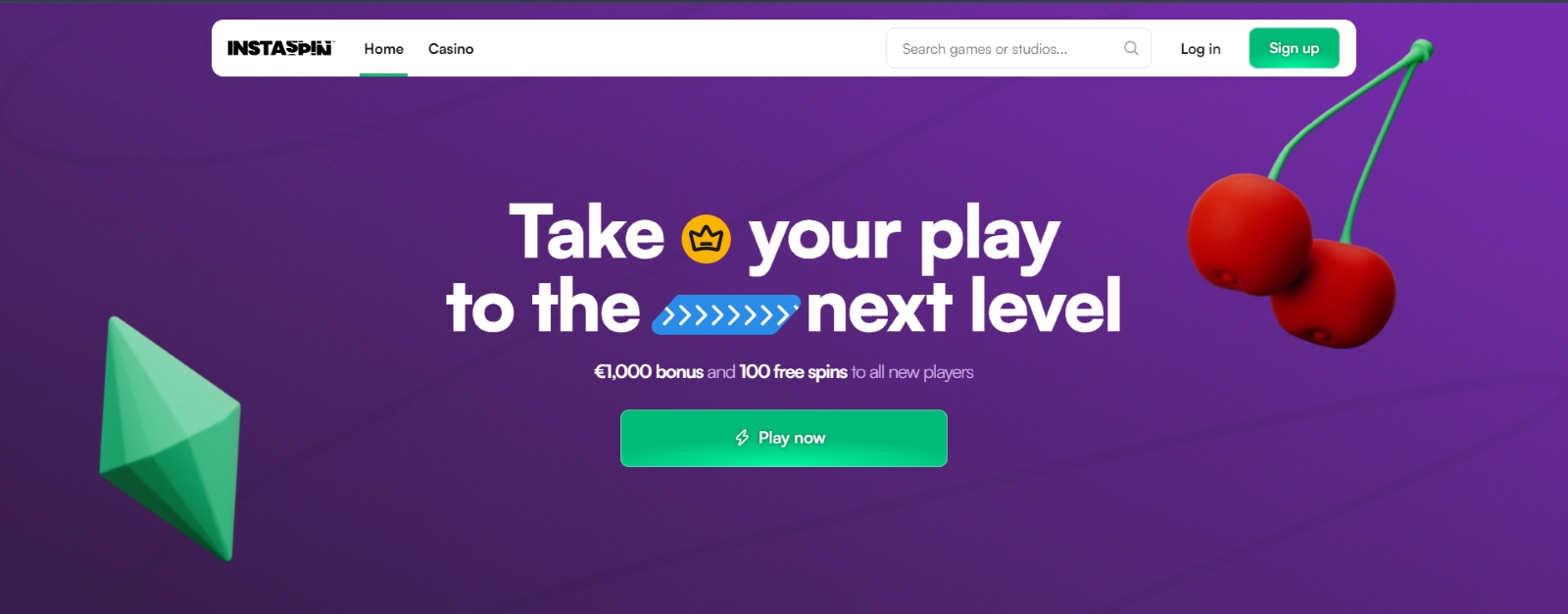
InstaSpin has arrived at a time when UK-facing casino habits are shifting toward faster access, flexible payments, and clearer bonus rules. Launched in 2024 by Magico Games N.V., the platform mirrors these expectations with a mobile-first design, quick account setup, and a mixed payments stack that includes cards, e-wallets, and crypto. Players who want to experience the best games of InstaSpin will notice that the lobby, promotions, and cashier are all structured to reduce friction rather than add it. This article looks at how InstaSpin Casino UK aligns with broader British trends and where it still has room to improve.

InstaSpin UK

Across the UK market, demand has been shaped by convenience and transparency. Mobile usage continues to dominate, live dealer games retain strong appeal, and payment flexibility can be a deciding factor when choosing a site. At the same time, players are paying closer attention to wagering terms and withdrawal speeds. InstaSpin’s setup reflects these priorities, though its offshore licence and mixed user reviews mean players should weigh convenience against trust signals before committing.

InstaSpin Casino UK at a Glance

For a quick overview, the table below summarises the core details relevant to UK players considering InstaSpin.

Year Established 2024
Operator Magico Games N.V.
Licence Anjouan (Comoros)
Welcome Bonus Up to £1,000 + 100 free spins
Wagering Approximately 35x–40x
Minimum Deposit About €10–€20
Withdrawals Cards up to 3 days; e-wallets and crypto up to 1 hour
Game Providers Evolution, Pragmatic Play, NetEnt, Wazdan
Game Types Slots, Live Casino, Table Games, Sportsbook
Trustpilot Score 2.3 / 5

This snapshot shows a platform designed for accessibility and variety, but also one that operates outside the UK Gambling Commission framework. That distinction matters when evaluating player protections and dispute handling.

Bonuses, Wagering, and Transparency

The welcome package of up to £1,000 plus 100 free spins fits within the familiar structure seen across many UK-facing casinos. What matters more is how these bonuses are presented and the clarity of their terms. InstaSpin lists wagering requirements in the 35x to 40x range, which is broadly in line with industry norms, though still on the higher side for cautious players.

British players have grown more selective about promotions. Clear rules and realistic wagering expectations now carry more weight than headline bonus size. In this context, InstaSpin performs adequately but not exceptionally. The structure is understandable, but players should always check contribution rates, time limits, and maximum withdrawal caps tied to bonuses.

  • Bonus size is competitive but not unusual
  • Wagering requirements sit within standard ranges
  • Clarity of terms is acceptable, though not simplified

This reflects a broader trend: players are moving away from overly complex offers and toward straightforward value. Casinos that simplify their promotions tend to build more trust over time.

Game Selection and Live Casino Demand

One of the strongest areas for InstaSpin Casino UK is its game library. By partnering with well-known providers like Evolution, Pragmatic Play, NetEnt, and Wazdan, the platform ensures a mix of familiar titles and newer releases. This aligns with UK player expectations, where brand recognition and software reliability influence engagement.

Slots remain the backbone of the offering, but the continued rise of live dealer games is clearly reflected. Evolution-powered tables provide real-time interaction, which has become a key driver of retention among British players. The addition of a sportsbook also signals an attempt to capture crossover interest from sports bettors, another ongoing trend in the UK market.

Key highlights of the game portfolio include:

  • A wide slot selection with varying volatility and themes
  • Live dealer tables with professional streaming quality
  • Classic table games like blackjack and roulette
  • An integrated sportsbook for multi-category play

This variety supports longer sessions and gives players multiple ways to engage without switching platforms. It also reflects the growing expectation that a single account should cover multiple gambling interests.

Payments, Speed, and Flexibility

Payment flexibility has become one of the defining factors in UK casino choice, and InstaSpin leans heavily into this trend. Players can deposit using Visa, Mastercard, e-wallets, and cryptocurrencies, offering a broader range than many traditional platforms.

Withdrawal speed is where InstaSpin attempts to stand out. While card withdrawals can take up to three days, e-wallets and crypto options are processed much faster, often within an hour. This split reflects a wider industry pattern: traditional banking methods remain slower, while digital and decentralised options continue to gain popularity.

Minimum deposits in the €10–€20 range keep the platform accessible, especially for casual players testing a new site. This aligns with the UK trend toward lower entry barriers and flexible spending.

However, speed claims should always be considered alongside verification requirements and internal processing checks. Fast withdrawals are appealing, but consistency is what ultimately shapes player trust.

Trust, User Experience, and FAQ

Trust is where InstaSpin Casino UK presents a mixed picture. On one hand, the platform offers a clean, mobile-friendly interface that matches modern expectations. Navigation is smooth, games load quickly, and the cashier is straightforward. These elements reflect the continued dominance of mobile-first design in the UK market.

On the other hand, the Anjouan licence and a Trustpilot score of 2.3 out of 5 indicate potential concerns. UK players are increasingly aware of licensing standards, and many prefer operators regulated by stricter authorities. While offshore licences are not uncommon, they require players to take extra care when depositing and withdrawing funds.

In practical terms, InstaSpin delivers on usability but leaves questions around long-term reliability. That balance is becoming more common in newer platforms entering the UK-facing market.

FAQ

Is InstaSpin available to UK players?
InstaSpin is accessible to UK players, but it operates under an offshore licence rather than UK Gambling Commission regulation.

How fast are withdrawals at InstaSpin?
Withdrawals via e-wallets and crypto can be processed within an hour, while Visa and Mastercard withdrawals may take up to three days.

What games can I play at InstaSpin Casino UK?
The platform offers slots, live dealer games, table games, and a sportsbook, with providers like Evolution and NetEnt.

Is the welcome bonus worth it?
The bonus is competitive, but the 35x–40x wagering means players should review the terms carefully before claiming.

Can I use cryptocurrency at InstaSpin?
Yes, crypto payments are supported and are among the fastest withdrawal methods available on the platform.

Overall, InstaSpin reflects many of the trends shaping the UK casino landscape: mobile-first access, demand for live games, and increasing reliance on flexible payments. While it delivers in convenience and variety, players should balance these strengths against its licensing position and user feedback before deciding how much to invest.