
Looking for a quick way to play Slots Shine Casino on an Android phone in the United Kingdom? Start by checking whether the casino currently accepts UK customers and offers an Android app or a mobile browser version. Availability, app links, bonuses and payment methods can change, so verify them directly with the operator before registering or depositing.
This guide explains how to check access, set up an account, use the mobile site and make safer choices. It does not assume that an app is available in the Google Play Store: some casinos provide browser play only, while others may offer an Android installation file through their own website. Use only a download link confirmed by the casino, and do not install files from adverts, unofficial app stores or messages.
Check UK availability first
Before downloading anything, confirm that Slots Shine Casino is legally available to you in Great Britain. The operator should state which company runs the site and what gambling licence applies. UK-facing gambling operators generally need the appropriate permission from the UK Gambling Commission (UKGC). You can check a named operator against the UKGC’s public register rather than relying on a badge or claim displayed on a website.
Do not treat a site’s use of pounds sterling, British-themed promotions or a “UK” label as proof that it is authorised for UK players. If you cannot identify the operator, its licence details and the terms for British customers, pause before sharing personal information or making a payment. Rules and access can differ for players in Northern Ireland, so check the relevant local requirements as well.
Android setup: app or browser?
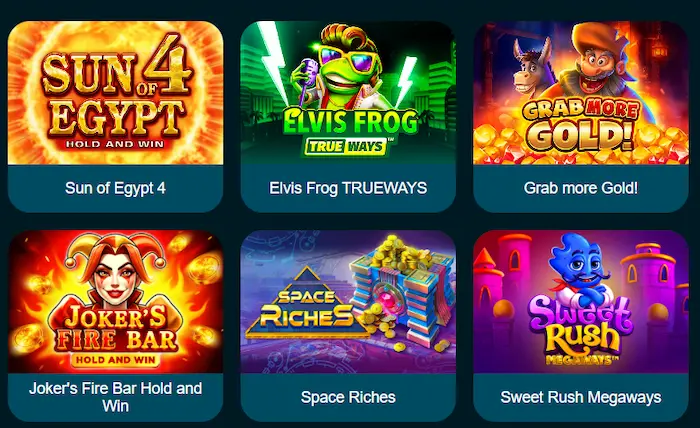
There are two common ways to play on Android: install an official app, if one is offered, or open the casino in a mobile browser. Browser play avoids installing a separate program and is often the simplest option. A dedicated app may offer convenient access, but it should be installed only when the operator clearly identifies it as official and explains how it is supported.
Before you install
- Use the casino’s verified website and check the web address carefully.
- Look for the operator’s legal name, licence information, privacy policy and contact details.
- Read the app’s requested permissions. A casino game should not need unrelated access to your contacts or messages.
- Keep Android and Google Play Protect updated, and avoid disabling security protections to install an unfamiliar file.
- Check the minimum age and local rules. Gambling is for adults who meet the legal age requirement.
If the casino provides an APK outside Google Play, understand that Android may show a warning because the file comes from outside its usual app marketplace. That warning is a reason to be cautious, not something to bypass automatically. If the operator cannot explain the file’s source, version and security, use the mobile browser instead or do not proceed.
Quick browser setup
- Type the casino’s verified address into Chrome or another trusted browser rather than following a random pop-up link.
- Check that the site loads securely and that its branding and operator details match the information you verified.
- Choose the mobile version, if prompted, and sign in or create an account only after reviewing the terms.
- Use the casino’s search or game categories to find the slot you want to play.
- If you prefer quick access, add the verified page to your browser bookmarks. Avoid saving payment details on a shared device.
For convenience, players may see the address gb.slotsshinecasino-uk.com mentioned in connection with this casino. Treat any address as something to verify, not as proof of licensing or authenticity. Confirm it independently through the operator’s official channels and check that it leads to the same regulated business before entering login or payment details.
Registration, verification and payments
When registering, provide accurate information and use an email address and password that you do not share with other services. A UK-licensed operator should explain identity and age checks. Verification may be requested before or after registration, and sometimes before a withdrawal. Follow the casino’s stated process, but do not send identity documents to an address supplied in an unsolicited message.
Read the deposit and withdrawal terms before funding an account. Check the minimum and maximum amounts, payment options, processing times, possible fees and any restrictions that apply to bonuses. A deposit is not a guarantee of winning, and a bonus is not free cash if it carries wagering requirements or other conditions. Make sure you understand those conditions before accepting an offer.
Use a payment method in your own name and keep a record of transactions. Never share a one-time banking code, password or card security details with someone claiming to be casino support. If a payment is declined, contact your bank or the operator through contact details found on the verified website rather than using a number sent by an unknown person.
Finding and playing slots on a phone
Mobile casino games are designed to fit smaller screens, but the exact catalogue depends on the casino, location and software provider. Search for the game by name, then check its information panel for the rules, paylines or ways to win, bet limits and return-to-player figure if supplied. The return-to-player percentage is a long-run theoretical measure; it does not predict what one player will win in a short session.
Try a free-play or demo mode if it is available and permitted. A demo can help you learn the controls, but it does not reproduce the experience of wagering real money and any demo credits have no cash value. If you choose to play for money, set a spending limit first and avoid increasing it to recover losses.
Choosing a casino with care
A convenient Android experience is only one part of choosing an online casino. For UK players, check regulatory status, transparent terms, account security and the quality of support before considering bonuses or game variety.
| What to check | Why it matters | Where to look |
|---|---|---|
| Operator and licence | Helps establish who runs the site and whether it is authorised for the market | Footer, legal pages and the UKGC public register |
| Mobile access | Shows whether play works in a browser or requires an official app | Casino help pages and verified download information |
| Payment and withdrawal rules | Explains limits, processing expectations and possible conditions | Payments page and full terms |
| Safer-gambling tools | Lets players set limits or restrict access when needed | Account settings and responsible-gambling pages |
Common setup problems
The page does not load
Check your internet connection, update your browser and try again later. Do not use a VPN to get around geographic restrictions or account checks. If access is unavailable in your location, contact the operator using its verified support channel and follow its rules.
The game is slow or freezes
Close unused browser tabs, check for Android updates and try a stable Wi-Fi or mobile connection. You can clear the browser cache, but first make sure you know your login details. If the problem continues, record the game name, device model and approximate time, then report it to support. Never keep placing bets while a game outcome or balance is unclear.
An app asks for unusual permissions
Stop the installation if the requested access seems unrelated to gameplay, or if the publisher cannot be matched to the casino operator. Remove an unfamiliar app and run a security check if you have already installed it. Change reused passwords from a trusted device and contact your bank promptly if you suspect payment information has been exposed.
Questions and answers
Is there an official Slots Shine Casino Android app?
Availability can change, and an app may not be offered in every market. Check the casino’s verified website or contact its support team. If no official app can be confirmed, do not install a similarly named application from an unknown source; use the browser option only if the casino is legitimate and available to you.
Can I play without downloading anything?
Possibly. Many casino games run in a mobile browser, but this depends on the operator and the game provider. Open the verified site and see whether it supports your device. Browser play still involves the same age, identity, location and responsible-gambling rules as an app.
How do I know whether a download link is genuine?
Reach it by navigating from the operator’s verified website, check the publisher and file details, and compare them with the casino’s own instructions. A link in an unsolicited advert, social post or private message is not reliable evidence of authenticity. If anything does not match, do not download the file.
Is playing on Android safe?
No device or website can be guaranteed risk-free. Reduce avoidable risks by using an authorised operator, a secure connection, updated software and unique login credentials. Keep your phone locked, avoid public devices for account access and never share verification codes. Gambling itself also carries financial risk; play only with money you can afford to lose.
Play within your limits
Set deposit, loss and time limits before you start, and take breaks during play. Do not gamble to pay bills, borrow money to continue or chase losses. If gambling stops feeling like entertainment, use the casino’s time-out or self-exclusion tools and seek independent support in the UK, such as GamCare. You can also use gambling-blocking tools and speak with someone you trust.
The quickest responsible Android setup is often to verify the operator first, open its genuine mobile site and try a game in demo mode before deciding whether to register. Install an app only when its source is clear. If licensing, terms or download details remain uncertain, do not deposit or provide sensitive information.